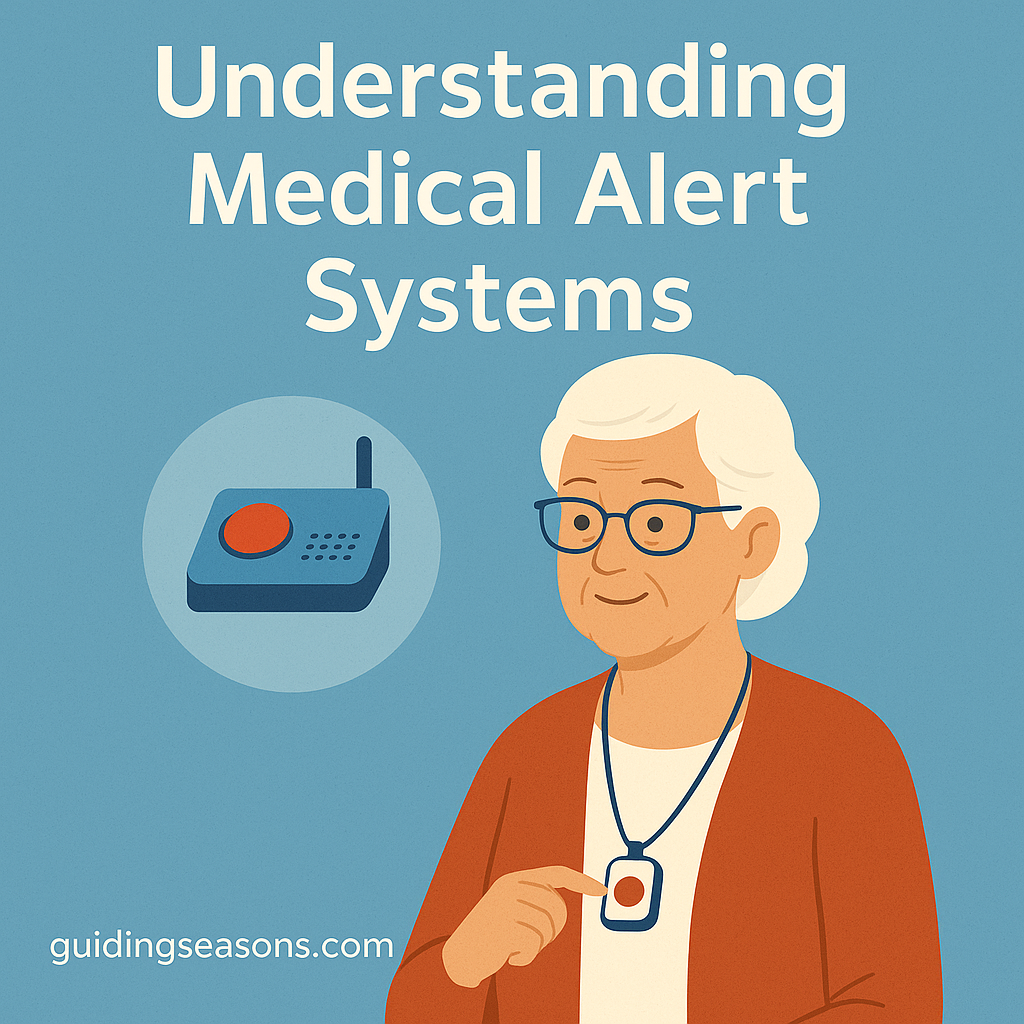
A medical alert system can provide an added layer of safety for older adults who live alone, have mobility concerns, or simply want a faster way to call for help during an emergency.
These systems are designed to make it easier to reach emergency responders, family members, neighbors, or a professional monitoring center when something goes wrong. Depending on the system, help may be available at home, outdoors, or while traveling.
For many people, the biggest benefit is not that they expect to use the system every day. It is knowing that assistance may be easier to reach if a fall, sudden illness, or other emergency occurs.
The National Institute on Aging notes that emergency medical alert systems, fall monitors, and GPS tracking devices can be useful for older adults who live alone or may be at risk of becoming sick, falling, or getting lost. It also emphasizes that these systems need to be set up correctly, worn consistently, and kept charged or supplied with fresh batteries to be useful.
Understanding how these systems work—and what they cannot do—can help you choose one that fits your actual needs rather than simply buying the device with the longest feature list.
What Is a Medical Alert System?
A medical alert system is a device or service designed to help you call for assistance quickly.
A typical system may include:
- A wearable pendant or wrist button
- A base station
- A speaker and microphone
- Cellular or landline connectivity
- GPS location services
- Automatic fall detection
- A professional monitoring service
- A caregiver app
The basic idea is simple.
If you need help, you press a button.
Depending on the system, that may connect you to a monitoring-center operator, call a family member, or contact emergency services.
Some systems are designed primarily for home use. Others are portable and continue working when you leave the house.
Why Medical Alert Systems Can Be Helpful
A medical alert system can be useful in situations where reaching a regular phone might be difficult.
For example, imagine that you fall in the bathroom and cannot stand up.
Your mobile phone is charging in the bedroom.
If you are wearing a waterproof alert pendant, you may be able to press the button immediately rather than trying to crawl to another room.
That simple difference can matter.
A medical alert system may provide:
- Faster access to assistance
- Greater confidence when living alone
- Additional support after a fall
- Emergency communication outside the home
- Reassurance for family members
- Backup communication when a phone is not within reach
It can also support independence.
Some people feel more comfortable living alone, walking around their neighborhood, or spending time in the yard when they know they have a dedicated way to request help.
However, a medical alert device should be viewed as one part of a broader safety plan rather than a replacement for fall prevention, medical care, home modifications, or regular communication with family and caregivers.
Understand the Three Main Types
Medical alert systems generally fall into several broad categories.
In-home systems
An in-home system typically uses a base station inside the house.
You wear a pendant or wrist button that communicates with the base.
When you press the button, the system contacts the monitoring service or another designated person.
Some systems connect through:
- A traditional landline
- A cellular connection
- Internet-based technology
In-home systems can be a good option for someone who spends most of their time at home and does not need emergency coverage while away.
One important feature to compare is the operating range between the wearable button and the base station.
A system may work perfectly in the living room but be less useful if the signal does not reach the backyard, garage, or basement.
Test it in every area where you expect to use it.
Mobile medical alert systems
Mobile systems are designed to work away from home.
They generally use cellular networks and may include GPS or other location technology.
These systems can be useful for someone who:
- Walks outdoors regularly
- Drives
- Shops independently
- Visits friends
- Travels locally
- Spends time gardening or outside the home
Instead of depending on a base station several rooms away, the mobile unit itself may contain the emergency button, microphone, speaker, and location technology.
Cellular coverage still matters.
Before choosing a mobile system, verify that the service works reliably in the places you visit most often.
Smartwatch-style systems
Some medical alert devices look more like ordinary watches.
Depending on the model, they may offer:
- Emergency calling
- GPS location
- Fall detection
- Step tracking
- Heart-rate monitoring
- Medication reminders
- Caregiver notifications
A watch can be appealing to someone who does not want to wear a traditional pendant.
However, additional features can also make the device more complicated.
The best system is not necessarily the one with the most technology. It is the one you are most likely to wear, charge, and use correctly.
How Professional Monitoring Works
Many medical alert systems include access to a monitoring center.
These centers generally operate around the clock.
A typical emergency may work like this:
- You press the alert button.
- The device connects to the monitoring center.
- An operator speaks with you through the device.
- The operator assesses what kind of assistance is needed.
- They contact emergency services, family members, neighbors, or other designated contacts.
For example, if you press the button because you fell but are not seriously injured, the monitoring center might contact a nearby family member according to your emergency plan.
If you report chest pain, difficulty breathing, or another potentially serious emergency, the operator may contact emergency medical services.
Ask prospective providers exactly how their response process works.
Do not assume every monitoring service follows the same procedure.
Direct-Call Systems Work Differently
Not every medical alert system uses a professional monitoring center.
Some devices are programmed to call:
- 911
- A family member
- Several emergency contacts in sequence
These systems may have lower ongoing costs because they do not include a monitoring service.
However, they also work differently.
If your emergency contact misses the call, does the system try someone else?
Can you speak through the device?
Does it provide your location?
Does it eventually contact emergency services?
These are important questions to answer before relying on the system.
Fall Detection Can Be Helpful, but It Has Limits
Automatic fall detection is one of the most popular optional features.
The device uses sensors and software to identify movements that resemble a fall.
If a possible fall is detected, the system may automatically contact the monitoring center without requiring you to press the emergency button.
That can be useful if you:
- Lose consciousness
- Cannot reach the button
- Become confused
- Injure your hand or arm
However, automatic fall detection is not perfect.
A system may occasionally identify normal movement as a fall, and some actual falls may not trigger an automatic alert.
For that reason, you should still press the emergency button yourself whenever you can.
Think of automatic detection as an additional safety feature rather than a guarantee.
Wearability Matters More Than It May Seem
An emergency device cannot help much if it is sitting on a nightstand.
When comparing systems, ask yourself whether you would realistically wear the device every day.
Consider:
- Weight
- Size
- Wrist versus necklace design
- Comfort
- Button size
- Ease of fastening
- Appearance
- Water resistance
Water resistance is especially important.
Bathrooms are one place where falls can occur, so a device that must be removed before showering may leave you without coverage exactly where you want it.
Check the manufacturer’s rating rather than assuming that “water-resistant” means the device can safely be worn in a shower or bath.
Battery Life Is an Important Safety Feature
Different systems have very different charging requirements.
Some in-home pendants may use batteries that last for extended periods.
Mobile devices and smartwatches may need more frequent charging.
Before buying, ask:
- How long does the battery normally last?
- How long does charging take?
- Does the system warn you when the battery is low?
- Can the device be used while charging?
- Does the base station have backup power?
A device that lasts 72 hours per charge, for example, provides three days of theoretical battery life—but that number is only useful if the device is actually charged on schedule.
Consider creating a routine.
For example, you might charge a mobile device every night while reading or watching television rather than waiting until the battery is nearly empty.
The National Institute on Aging specifically cautions that medical alert systems must be kept properly charged or have their batteries replaced as recommended.
GPS Can Be Useful Outside the Home
Some mobile alert systems include GPS or related location technology.
This can help a monitoring center determine where you are if you call for help away from home.
That may be especially useful if you:
- Walk alone
- Drive
- Travel locally
- Have memory problems
- Become disoriented easily
Location accuracy can vary depending on the technology, surroundings, and network conditions.
Ask providers how their location service works and whether family members can also view the location through an app.
Also consider privacy.
Some people appreciate continuous location sharing, while others may want GPS used only when an emergency alert is activated.
Test Cellular and In-Home Coverage
A medical alert system is only useful if it can connect from the places where you need it.
For an in-home system, test:
- Bedroom
- Bathroom
- Kitchen
- Basement
- Garage
- Porch
- Backyard
For a mobile system, consider cellular coverage in:
- Your neighborhood
- Grocery stores
- Doctor’s offices
- Regular walking routes
- Frequently visited family homes
Ask whether the device automatically changes networks or depends on one specific carrier.
If cellular service in your area is unreliable, that may influence which system is best.
Make Sure You Can Hear and Be Heard
Two-way communication is another important feature.
During an emergency, the monitoring operator needs to hear you clearly, and you need to understand the operator.
Look for:
- Loud speakers
- Adjustable volume
- Clear microphones
- Two-way communication through the wearable or mobile unit
If you have hearing loss, ask whether the system offers volume adjustments or other accessibility features.
Test the system under realistic conditions.
Speaking to the base station from three feet away is not the same as trying to communicate from the bathroom floor.
Understand the Full Cost
Medical alert systems can include several different charges.
Possible costs include:
- Equipment purchase
- Equipment rental
- Activation fees
- Monthly monitoring fees
- Shipping
- Fall-detection fees
- GPS or mobile-service fees
- Additional wearable devices
- Replacement equipment
- Cancellation charges
The National Institute on Aging says these systems typically involve a startup cost followed by a monthly service fee, with prices varying based on the provider, features, and coverage area. It also notes that Medicare does not pay for emergency medical alert systems, although Medicaid, private health plans, or long-term care insurance may provide coverage in some situations.
Before subscribing, ask for the complete price in writing.
For example, suppose a system costs $35 per month plus an additional $10 per month for fall detection.
That equals:
$45 per month × 12 months = $540 per year
If there is also a $100 equipment or activation fee, the first-year cost becomes $640.
Calculating the annual total makes it easier to compare competing plans.
Read the Contract and Cancellation Policy
Do not focus only on the monthly price.
Check:
- Contract length
- Automatic renewal terms
- Cancellation procedure
- Return requirements
- Trial period
- Refund policy
- Equipment ownership
- Cancellation penalties
This is particularly important because deceptive sales practices involving medical alert devices have occurred.
The Federal Trade Commission has taken action against companies that used misleading robocalls and falsely advertised supposedly “free” medical alert systems while consumers were actually charged monthly fees or encountered difficulties canceling.
Be cautious if someone calls unexpectedly and pressures you to act immediately.
A reputable service should allow you time to review the terms and compare alternatives.
Be Skeptical of “Free” Medical Alert Offers
Unsolicited calls offering free medical alert equipment deserve caution.
The FTC has documented cases in which older adults were told that medical alert systems were free or had already been purchased for them, only to discover ongoing charges or other unfavorable terms.
Before providing a credit card number, bank information, Social Security number, or other personal information:
- Identify the company
- Verify the offer independently
- Ask for written pricing
- Review cancellation terms
- Compare the offer with other providers
Do not let a caller pressure you into making an immediate decision.
Ask About Caregiver Features
Some systems include smartphone apps or online dashboards for family members.
Depending on the provider, these may offer:
- Emergency notifications
- Device battery status
- Location information
- Activity information
- Check-in alerts
These features can provide reassurance when family members live far away.
However, talk openly about privacy before enabling extensive tracking.
The person wearing the device should understand what information is being shared and with whom.
Create an Emergency Contact List
A medical alert provider may ask you to specify who should be contacted.
Possible contacts include:
- Spouse
- Adult child
- Neighbor
- Friend
- Caregiver
Choose people who are:
- Usually reachable
- Close enough to help when appropriate
- Familiar with your health needs
- Comfortable being contacted during emergencies
Review this list periodically.
An emergency contact who moved away two years ago is no longer very useful.
Consider Access for Emergency Responders
Imagine that you press your alert button while home alone and cannot get to the front door.
How would emergency responders enter?
Some households use a lockbox with a key or other secure access arrangement.
If your monitoring provider keeps lockbox or access information on file, ask how that information is protected and when it is shared.
Do not hide an unsecured spare key in an obvious location.
Test the System Regularly
Do not wait for an actual emergency to discover that the device is not working correctly.
Ask the provider how often test calls should be performed.
A routine test confirms:
- The button works
- The monitoring center answers
- Two-way audio works
- The battery is charged
- The wearable connects from different areas
You should also retest after:
- Moving furniture
- Changing internet or phone service
- Replacing equipment
- Moving to a new home
Testing can also make you more comfortable with what will happen when you press the button.
Medical Alert Systems Do Not Replace Human Contact
Technology can improve safety, but it should not become the only connection between an older adult and the outside world.
The National Institute on Aging specifically notes that medical alert systems cannot replace regular check-ins from family, friends, or caregivers.
A stronger safety plan might combine:
- Medical alert system
- Regular family calls
- Home fall-prevention measures
- Medication review
- Appropriate exercise
- Good lighting
- Grab bars
- Supportive footwear
Each layer addresses a different risk.
Who Might Benefit Most?
A medical alert system may be worth considering if you:
- Live alone
- Have experienced previous falls
- Have balance or mobility problems
- Use a cane or walker
- Have a medical condition that could require urgent assistance
- Spend significant time alone
- Want additional protection outside the home
It may also be useful when family members live far away and cannot respond immediately.
That does not mean everyone needs one.
Consider your health, living situation, comfort with technology, budget, and existing support network.
A Practical Comparison Example
Imagine two people choosing medical alert systems.
Person A spends most of the day at home and rarely travels alone.
An in-home system with a waterproof pendant and a strong base-station range may meet their needs without paying extra for GPS.
Person B walks two miles through the neighborhood several times a week, drives to appointments, and frequently shops independently.
A mobile cellular system with GPS and two-way communication may be much more useful.
Both people want emergency support, but the best equipment is different because their lifestyles are different.
This is why choosing based only on price or advertisements can lead to buying features you do not need—or missing ones you do.
Questions to Ask Before Buying
Before selecting a medical alert system, ask:
- Does it work inside and outside my home?
- Is professional monitoring included?
- Is monitoring available 24 hours a day?
- Does the wearable work in the shower?
- Does it offer optional fall detection?
- How long does the battery last?
- What happens if cellular or power service fails?
- Does the device include GPS?
- Can I speak directly through the wearable?
- What is the total monthly cost?
- Are there activation or equipment fees?
- Is there a long-term contract?
- How do I cancel?
- Is there a trial or return period?
- Can family members receive alerts?
- How often should I test the system?
Write down the answers so you can compare providers more easily.
Final Thoughts
Medical alert systems can provide a valuable additional layer of safety for older adults who want to remain independent.
They range from simple in-home emergency buttons to sophisticated mobile devices with GPS, automatic fall detection, caregiver apps, and two-way communication.
The most important question is not which system has the most features.
It is which system fits your life.
Someone who rarely leaves home may need little more than a reliable in-home pendant, while an active person who walks or drives independently may benefit from cellular coverage and GPS.
Pay close attention to battery life, water resistance, monitoring procedures, cellular coverage, annual cost, cancellation terms, and ease of use.
Also remember that fall detection is not perfect and that the device needs to be worn and charged to provide meaningful protection.
The National Institute on Aging recognizes emergency medical alert systems as one tool that may help older adults who live alone or face risks from falls or medical emergencies, while emphasizing that these systems work best as part of a broader network of safety and human support.
A medical alert system should ultimately make everyday life feel simpler, not more complicated.
Choose one you understand, can comfortably wear, can afford over the long term, and can depend on in the places where you actually spend your time.